Table of Contents
Using The Phone System
We have in-place a company wide phone system, that allows you to receive inbound calls, dial outbound & internal calls, and transfer calls from phone to phone. These phones are based on VOIP technology, and not on classic telephone lines, allowing multiple calls at once, and extensions that can move with you, if you were to move desk.
The most common phone is the Yealink brand, T19/T21, but most of our phones work in a very similar fashion.
Make an outbound call
To make an outbound call, you only need to dial the number with the handset still hung up, or in your hand, with the preceding 0 (e.g. 01202718266). If the handset is picked up before dialing, the phone will take 5 seconds once the last number has been dialled, before starting the call. If you pick up the handset after you have dialled, the phone still start the call straight away.
Outbound Emergency 999 111 101 calls
You must add a 9 to the beginning of unusual numbers, such as 999, 111, and 101, dialing 9999 for example. This is to tell the telephone system that it is indeed an outside line and not an extension.
Receive an inbound call
To receive a call, when the phone is ringing, pick up the handset. The screen will show you CallerID if it is available, and the number that is ringing you.
If the call was placed to a ring group, e.g. Fundraising, all the phones in the group will ring and the first person to answer the phone will receive the call.
Extension Numbers
On the central drive, there is a Spreadsheet that is kept up to date, with all the extensions and ring groups
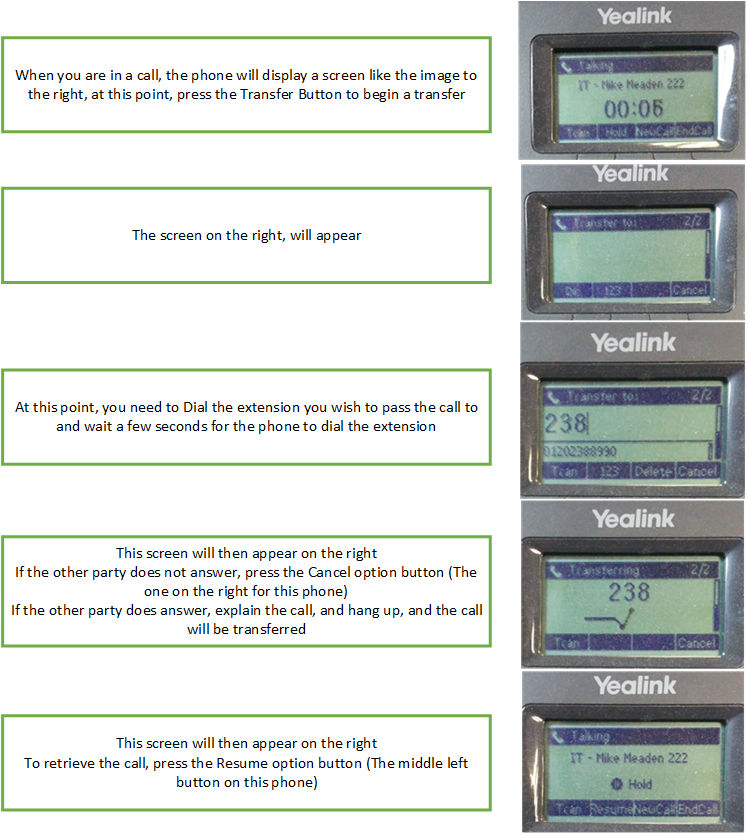
Transferring calls
If you have picked up a call, and need to transfer, you must follow the following steps:
Voicemails
If voicemails are set up for you or your department, they will be delivered by email into a shared inbox, allowing you and your team to answer voicemails. These are delivered in attachments to emails, and you can listen to them on your computer. If you do not have speakers or headphones, please request some from your manager or the IT department.
Button Layouts
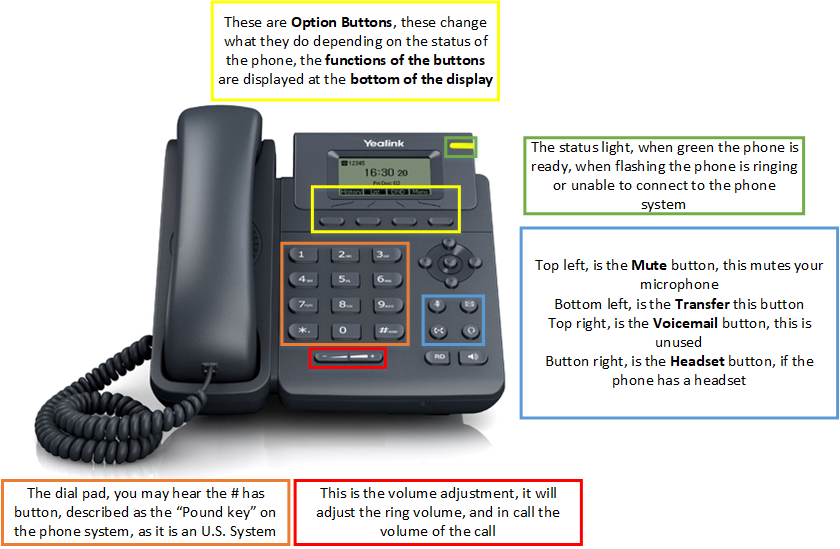
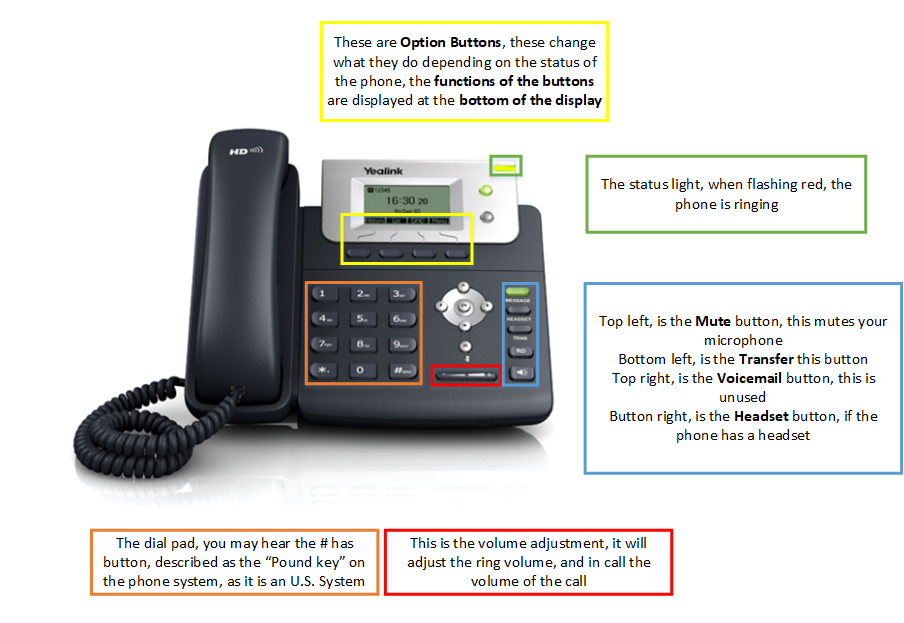
Below are diagrams that show you what the buttons do on your phone, find the appropriate diagram by the model of your phone, normally located near the display, for example “Yealink T19P E2”
Yealink T19P E2
Yealink T21P E2
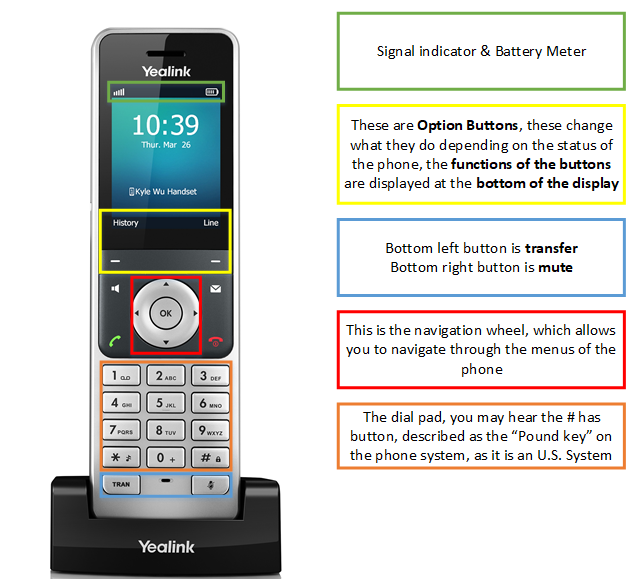
Yealink W56H