Ricoh Photocopiers: Scanning
Standard Scanning
Similar to copying, you are required to log into Papercut to access the scanning functions of the photocopier. Please read HP Printing: Papercut
- Once you have logged into the Photocopier, you are presented with 4 options. Standard Scanning and Encrypted Scanning are the ones we are interested in here.
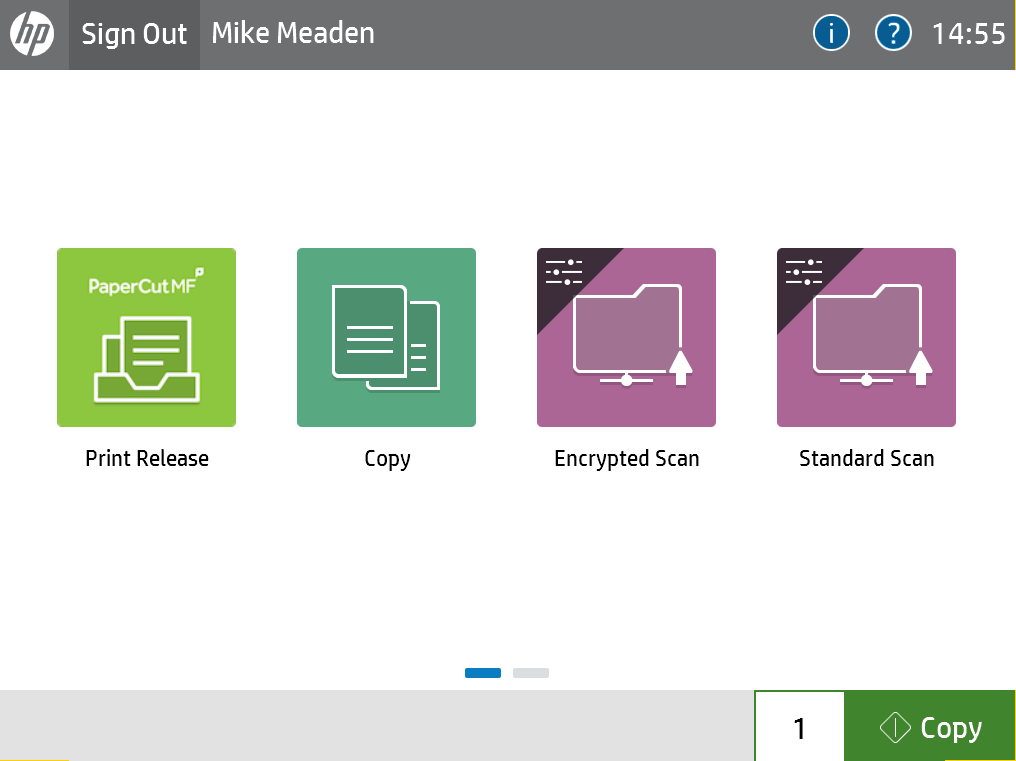
- Press Standard Scanning if you just wish to scan a document with no password protection. This will present you with the scanning program on the photocopier.
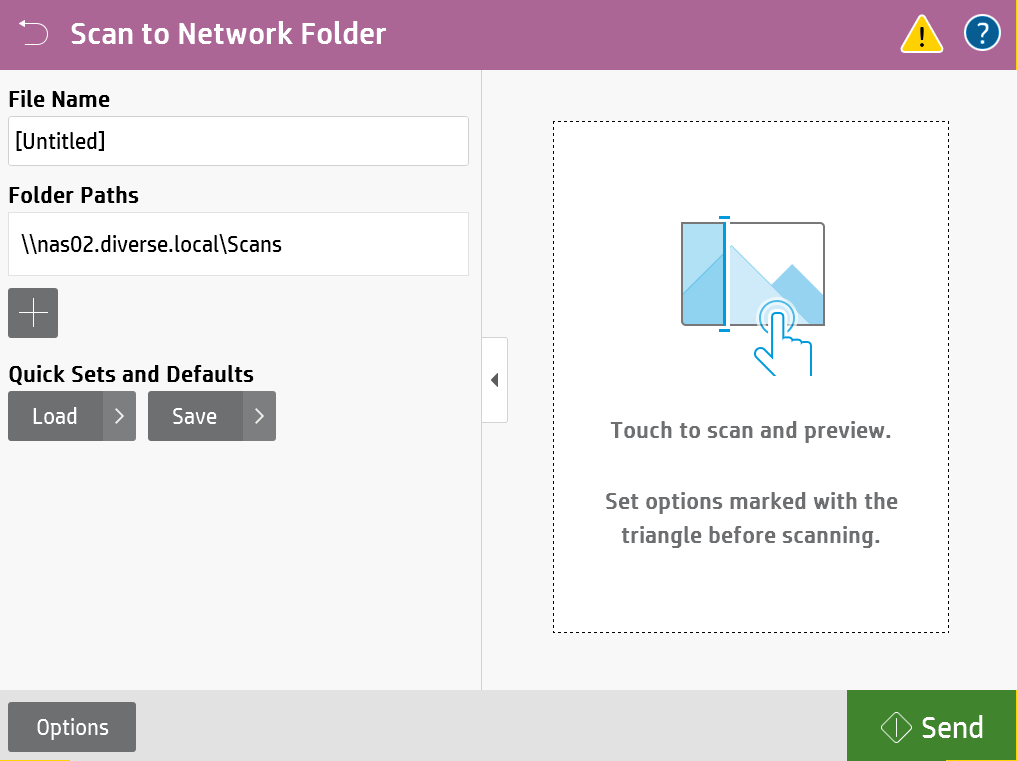
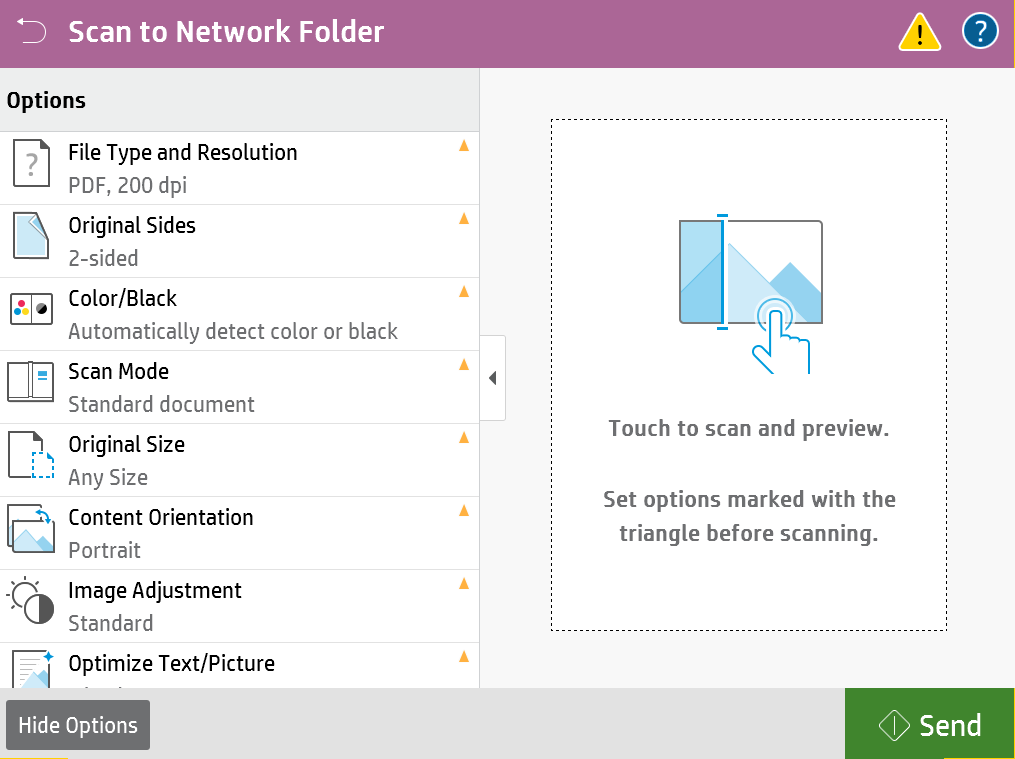
- Pressing Options in the bottom left, here you are able to set the options for your scan, double or single sided, black and white or colour, and the quality of the scan.
- If you require encryption on your PDF file for emailing to a third party outside of the organisation, then on the homepage press Encrypted Scan. This will bring you to the same window as before, but when you press Send, it will request you to enter a password to encrypt the document with. It is important to not forget this password as there is no way to recover an encrypted document. Do not share this password in the same email as the document is attached to, this is insecure