
User Tools
Welcome to the Diverse Abilities IT System
There are a few first time steps you'll need to complete and be aware of when you first log onto the computer system.
To begin with, let's take a quick look around your desktop. (Your desktop may appear slightly different to the one in the pictures)
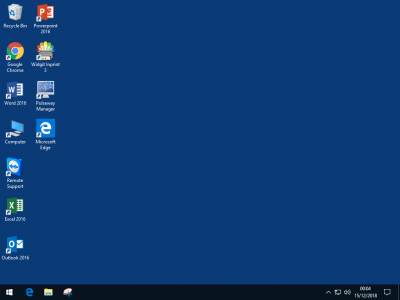 The parts to note are:
The background is blue. This begins as you first logon to the computer, as black, with means that the computer is setting itself up for you to access the network. Once the background has turned blue, it means this has been completed.
The shortcut “Computer”, is where you will access all of your network drives and files from.
Program shortcuts, programs that have been assigned to you will automatically appear on your desktop, for example in the picture, the user has access to “Widgit Inprint 3” software.
The first thing you will want to do, if an email has been set up for you, is to set up Outlook. You'll have to do this the first time you log onto a new computer.


